What MyFinancialFuture does
A free planner for Australian households. Enter a few numbers and see your money month by month, to any age, using real Australian tax and super rules. No sign-up. Saved in your browser unless you sign in to sync.
No sign-up, no personal details
We never ask for your name, email, phone number or address to use the planner.
Saved in your browser unless you sign in to sync
Everything you enter is saved in your browser, not on our servers, unless you sign in to sync.
AI only when you ask
Press an AI button and only the figures it needs are sent, with nothing that identifies you. They are not stored.
A free account is optional and only needed to sync plans across devices. How we handle data
The free core, step by step
Steps 1 and 2 are all you need. The rest is there when you want it.
Step 1
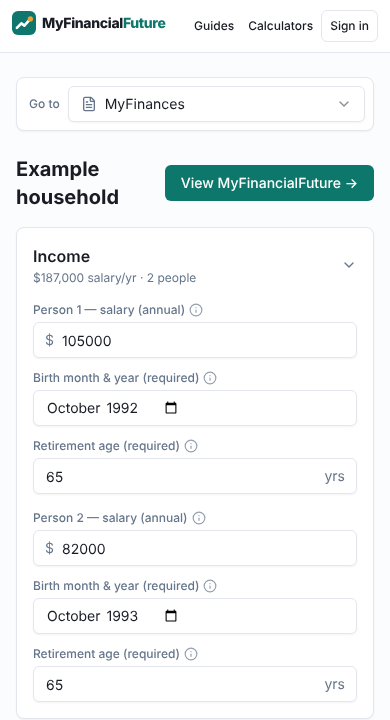
MyFinances: enter what you have today
Income, spending, birth month and year and retirement age are all it needs. Add a home loan, super, investments or savings if you like.
- No names, emails or bank logins
- Saved in your browser unless you sign in to sync
- Couples can add a second person
Step 2
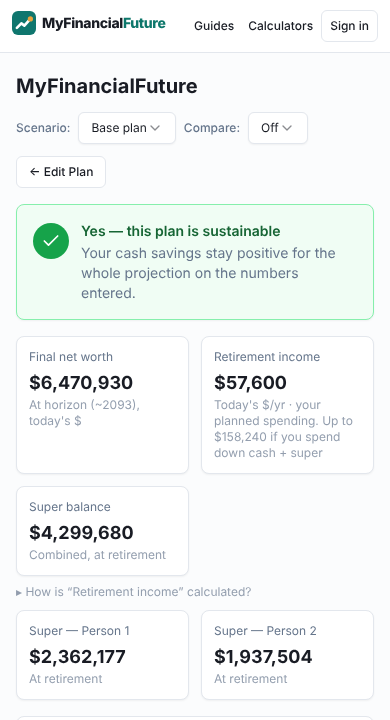
MyFinancialFuture: see where it leads
A month-by-month projection of cash flow and net worth to any age, using Australian tax, Medicare, super and stamp duty rules.
- A plain answer on whether the money lasts
- Retirement income, super at retirement and months of runway
- Every month in a table, in today’s or future dollars
Step 3 · optional
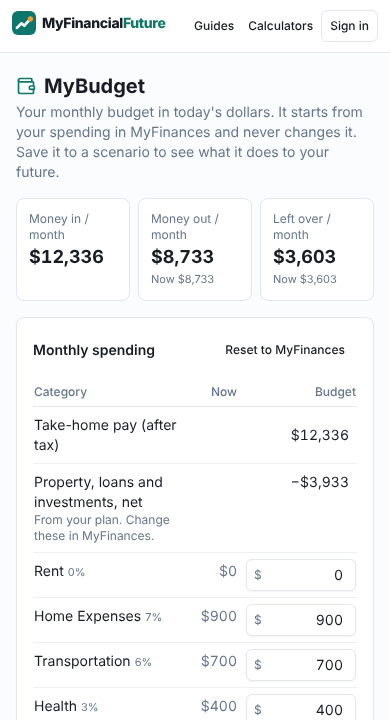
MyBudget: a monthly budget from your numbers
A budget that starts from what you entered, with savings goals and a spreadsheet download.
- Optional AI draft on request
- Download as a spreadsheet
Step 4 · optional
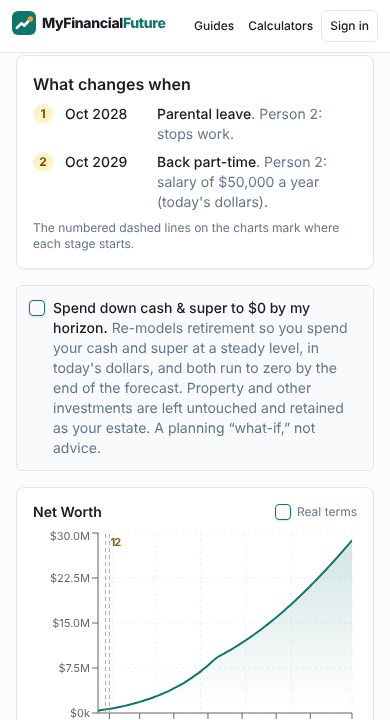
MyFinancialScenarios: try a different path
Model a pay rise, a new property, part-time work or retiring earlier, as one change or a timeline of stages, and compare it with your plan.
- Changes at the dates they happen
- Side by side with your current path
- Make a scenario your plan when it suits
Step 5 · optional
Opportunities and Export
See strategies that may apply to your situation, explained in plain English, and download everything as a spreadsheet, CSV, JSON or PDF.
- Explanations of each strategy and its trade-offs
- Your data in a file you keep
Want more? Optional add-ons
For anyone who wants to get the most from their plan. Free, off until you switch them on in MyExtras, and saved with your plan in your browser. They sync only if you choose to sign in.
Goals on your timeline
Name a target, like a $100k house deposit by 2029 or the mortgage gone by 55, and see if the plan gets there.
Saved with your plan in this browser, and in your account only if you sign in.
Monthly check-in
Once a month, jot down five balances. See your real net worth history next to the projection, and how far it has drifted.
You type these in. Saved with your plan in this browser, and in your account only if you sign in. Nothing connects to your bank.
How do I compare?
See your income and super next to published Australian figures for people your age, and planned retirement spending next to the ASFA Retirement Standard.
Worked out in your browser from published ABS and ASFA figures (ASFA's from ATO data). The comparison itself is not sent anywhere.
Built in for everyone
- Months of runwayHow long your cash would cover your regular outgoings if pay stopped.
- Make this my planHappy with a scenario? Make it your base plan with a confirm and an undo.
- Compare two propertiesUpfront cash, repayments, cash flow and equity for two homes or investments side by side.
- Take-home pay calculatorTax, Medicare, HELP and super on any salary.
Quick answers
- What is the least I need to enter?
- Your income, your regular spending, and each person’s birth month and year and retirement age. That is enough for a full lifetime projection. Everything else is optional.
- Do I need an account?
- No. Every feature works without one. A free account only syncs your plan across devices.
- Where is my data kept?
- In your browser on this device. It reaches our servers only if you sign in to sync, and then only into your own account. Nothing connects to your bank.
- What does it cost?
- Nothing. The planner, the add-ons and the exports are free.
- Is this financial advice?
- No. It is general information based on the numbers you enter and stated assumptions. A licensed adviser can look at your full situation.
Want the detail behind the numbers? Read how it works.